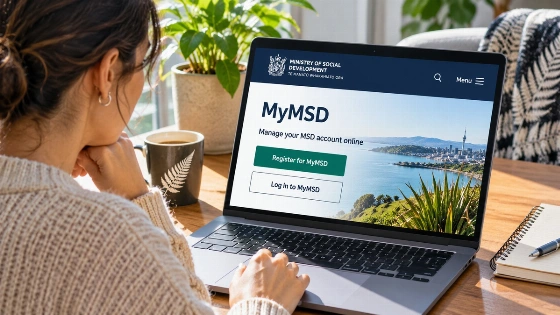
To use MyMSD, the Ministry of Social Development's (MSD) main digital channel, you need a client number and a registered contact method. MyMSD lets clients access information and handle tasks like applying for assistance online. MSD manages most government financial-assistance payments in New Zealand, including New Zealand Superannuation, income support, housing-related help, and student support. Each year, about one million New Zealanders deal with MSD, so digital access plays a key role in its service delivery. MyMSD fits into MSD’s wider Te Pae Tawhiti transformation programme, which aims to modernise service delivery and offer a digital experience for clients. The programme is set up so clients can choose the channel that works for them, whether digital, telephone, or face-to-face. MSD Business Transformation
Anyone who has dealt with Work and Income before will have a nine-digit client number, which is needed to set up a MyMSD account. MSD’s digital-access strategy covers a wide client base, including more than those on unemployment support. For example, about 130,000 students got help from MSD between January and June 2022, and the first phase of the transformation programme focused on giving these students a modern online experience. Investing in the Ministry of Social Development’s Future
To start registration, you need your client number and either the email address or mobile phone number already registered with the Ministry. If you do not know your client number, you can request it by filling out an online form. The Ministry will send your client number by email or text within one to two working days. If you need your client number urgently, call Work and Income to discuss your situation directly.
What to Do If You Lack a Registered Contact
If you have not registered an email address or mobile number with the Ministry, call 0800 559 009. When prompted, say "client number" as the reason for your call, and give your current contact details so they can be added to your record. MSD keeps several access routes open for clients, including telephone contact, email or letter, MyMSD, service centres, and other online services. The Ministry aims to make online services more inclusive, accessible, and easy to use, and recognises that some clients cannot complete digital registration because they lack a registered contact method, have limited internet access, or face technical barriers. 2025–26 Vote Social Development: Responses to Supplementary Estimates Questions
Step-by-Step Registration Process
Once you have your client number and a registered contact, go to my.msd.govt.nz and select 'Register for MyMSD'. Enter your client number and date of birth, agree to the terms of use and privacy policy, and continue. A six-digit code will be sent to your registered mobile or email. Enter this code to move forward.
After confirming your identity, you can log in by creating a four-digit PIN or by using your RealMe login. For the PIN option, enter and confirm your chosen PIN to reach the MyMSD home page. If you use RealMe, enter your username and password, then confirm your identity with a code sent by text or generated by the Google authenticator app.
Troubleshooting Access Issues
Some users run into login problems if their web browser is outdated. Updating your browser or switching to another one may fix these issues. If you cannot use MyMSD online, the Ministry asks you to call for help so your situation can be discussed and support arranged. MSD’s ongoing digital transformation aims to let more clients apply, provide information, check status, and manage changes online where digital access fits their needs. As of August, more than 94,000 work-obligated clients receiving benefits had updated their profiles and could view jobs matched to those profiles, with over 7,700 available positions across 2,600 active vacancies for jobseekers. Increased self-service is meant to create capacity for earlier and more effective support for clients who need staff help. Services for the Future Programme Report Back
For more details on the registration process, see the official Work and Income guidance.